How an AI-Powered Cleaning Schedule Stays Realistic (and Actually Gets Done)
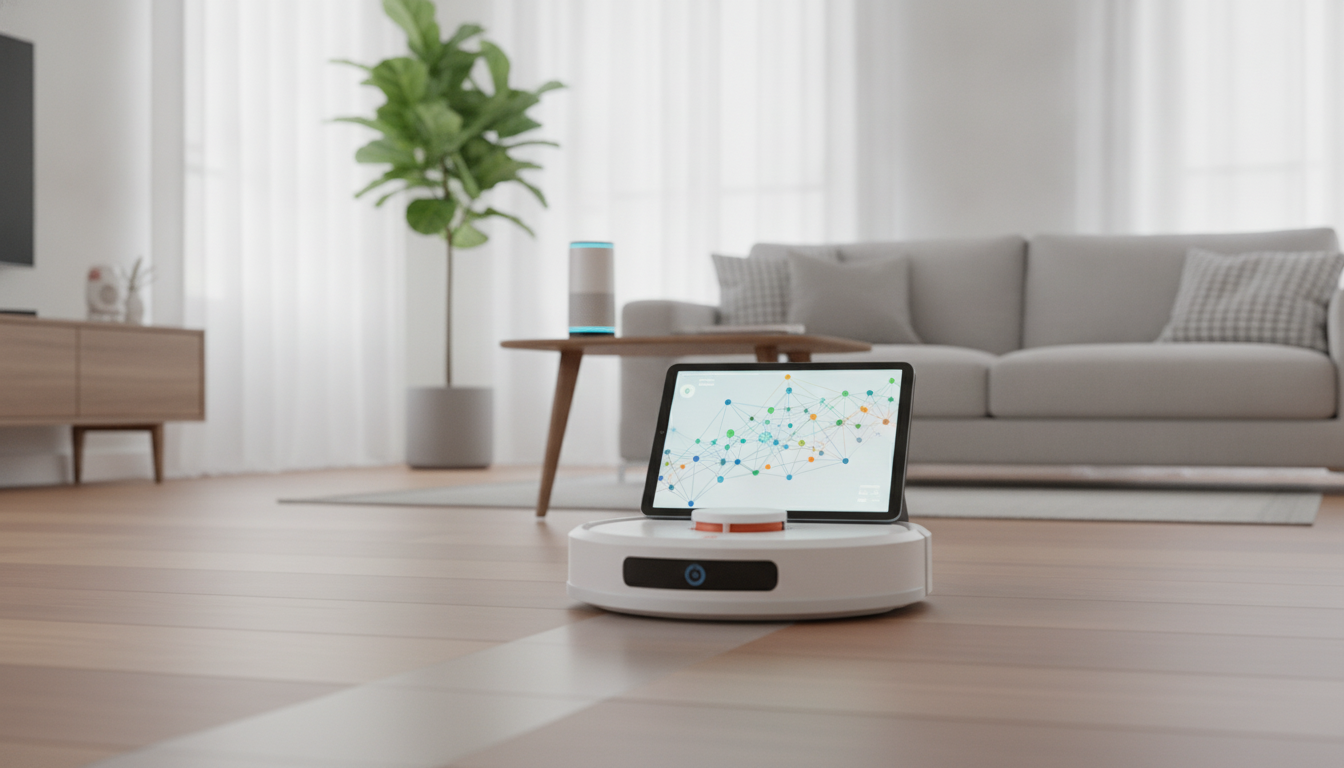
An AI-assisted cleaning schedule can reduce decision fatigue, keep high-traffic areas consistently tidy, and adapt when routines change. The key is pairing the right sensors and devices with a simple rule set: clean by need (traffic, mess level, allergies) and by constraints (quiet hours, work calls, pet feeding, charging time). When it’s set up well, the “smart” part isn’t constant automation—it’s consistent timing, fewer missed tasks, and quick recovery when life interrupts the plan.
Start with a “reality check” baseline (before automating anything)
Before setting rules, get honest about what makes the home feel clean day-to-day. A schedule that ignores the real pain points becomes background noise.
- List the spaces that actually affect daily comfort: entryway, kitchen floor, dining area, bathrooms, pet zones, bedrooms.
- Identify “mess makers” and “mess magnets”: kids’ snack spots, litter areas, cooking zone, sofa throws, under-table crumbs.
- Pick measurable signals per space: foot traffic, time since last clean, air quality (dust), humidity (mildew risk), or visible debris (robot vacuum bin fill rate).
- Set one non-negotiable outcome per space: “kitchen floor stays crumb-free” or “bathrooms get a quick refresh every 3 days.”
If you want a step-by-step blueprint to follow, the How to Set Up an AI-Powered Cleaning Schedule That Actually Works | Smart Home Guide for ai cleaning schedule setup works well as a printable checklist and setup reference.
Choose the AI “brain” and the devices it can control
Your “brain” is the platform running automations. The best choice is the one that runs reliably in your home and plays nicely with your devices.
- Pick a hub/platform: Apple Home, Google Home, Amazon Alexa, Home Assistant, or SmartThings.
- Confirm compatibility before buying: robot vacuums/mops, air purifiers, humidifiers, smart plugs, motion sensors, and door sensors.
- Prefer local control when possible: faster response and fewer outages; use cloud features for mapping, scheduling intelligence, and notifications.
- Decide how routines trigger: time-based schedules, sensor-based routines, geofencing, voice commands, or a mix.
Common smart-home signals that make cleaning schedules smarter
| Signal |
What it indicates |
Best automation use |
| Entry door opened + motion in hallway |
High traffic day |
Run vacuum in entryway after last arrival |
| Kitchen motion after dinner window |
Crumbs/grease likely |
Start a quick vacuum/mop routine 30–60 minutes later |
| Humidity spike in bathroom |
Mildew risk |
Trigger exhaust fan + reminder for quick wipe-down |
| Air quality worsens (PM2.5/VOC) |
Dust/cooking byproducts |
Run air purifier and schedule dusting block next morning |
| Robot vacuum bin full / stuck events |
Routine failing |
Send alert and pause until resolved |
Build the schedule around zones, not rooms
Zoning makes automations easier to maintain because the dirt pattern matters more than the room label. A kitchen-dining zone behaves differently than a bedroom zone, even if both are “one room.”
- Create 4–6 zones: Entryway, Kitchen/Dining, Living Areas, Bedrooms, Bathrooms, Pet Zone.
- Assign a cleaning mode per zone: Quick (5–10 min), Standard, Deep (weekly/biweekly).
- Define robot boundaries: no-go lines and keep-out zones to prevent tangles and missed areas.
- Separate vacuum-first and mop-second: it prevents wet debris trails and streaking.
Set rules that adapt without becoming complicated
The best automations are boring: they run, they finish, and they don’t require tinkering. Start with a small rule set you can trust.
- Use a simple priority stack: Safety/health (bathroom, trash) → high-traffic floors → dust/allergens → detail cleaning.
- One trigger + one safeguard per rule: Trigger = kitchen motion after 7pm; Safeguard = don’t run if “Quiet Hours” is on.
- Add catch-up logic: if a task is skipped, reschedule it for the next low-noise window.
- Start with 3–5 automations: expand only after two reliable weeks.
For indoor air routines, align your purifier use with evidence-based guidance like the U.S. EPA guide to air cleaners in the home, especially if allergies influence your cleaning priorities.
A weekly template that works for most homes
When you’re deciding what deserves disinfecting versus routine cleaning, use practical public-health references like the CDC cleaning and disinfecting guidance to avoid overcomplicating daily tasks.
Make it dependable: maintenance, friction, and failure-proofing
Because these systems often depend on connected sensors and hubs, it’s worth following basic best practices for connected devices, such as the principles in NIST’s IoT cybersecurity and privacy risk considerations.
Small upgrades that make the whole system feel smarter
- Stabilize comfort after cleaning: maintaining comfortable humidity can reduce static dust and make spaces feel fresher. A compact option like the Mini USB Aroma Humidifier & Essential Oil Diffuser with Soft LED Light can be scheduled via a smart plug for short, consistent runs.
- Keep charging dependable: missed schedules often trace back to low batteries or messy power setups. A high-output charger like the 65W GaN USB C Fast Wall Charger with Quick Charge helps keep hubs, sensors, or secondary devices topped off without juggling multiple bricks.
- Add a “reset routine” before bed: a quick pickup prompt plus next-day scheduling based on tomorrow’s calendar and weather (rain/mud = more entryway cleaning).
FAQ
How many automations should be set up at the start?
Start with 3–5 core routines (entryway, kitchen, bathrooms, a catch-up rule, and a quiet-hours safeguard). Expand only after they run reliably for about two weeks.
What if the robot vacuum keeps getting stuck or skipping areas?
Add no-go zones, tidy cables, and consider remapping to improve navigation. Then use a pre-run pickup reminder and keep up with brush/filter maintenance so the routine stays consistent.
Does an AI cleaning schedule work without a robot vacuum?
Yes. You can still use reminders, smart plugs for purifiers/fans, humidity-based bathroom routines, and calendar-based cleaning blocks—AI mainly improves timing and consistency.
Recommended for you











Leave a comment