Understand the interview format and expectations
A strong virtual interview starts well before you turn on your camera. As soon as you get the invite, confirm the platform (Zoom, Microsoft Teams, Google Meet), the interview type (screening, panel, technical, case), and the estimated length. Those details shape how you prepare—especially if screen sharing, a live exercise, or a portfolio walkthrough is involved.
Ask for logistics that reduce uncertainty: the names and roles of interviewers, whether cameras are required, and what “good” looks like for the session (for example, a short presentation vs. a deep Q&A). Double-check the time zone and the start time, then clarify what to do if the connection drops: a phone number to call, a backup link, or permission to rejoin.
Finally, re-read the job description and map 5–7 key requirements to specific examples from your experience. Aim for concrete proof points (metrics, timelines, scope, and tools used) so you can answer quickly without sounding vague.
Set up a distraction-free space that looks and sounds professional
Your environment is part of your first impression. Choose a quiet room and proactively prevent interruptions—tell housemates the time window and consider a simple note on the door. Keep the background clean: a plain wall, a tidy shelf, or a subtle backdrop works well. Remove anything personal or visually busy that could pull attention away from the conversation.
Camera placement matters more than most people realize. Frame at eye level, sit about an arm’s length away, and aim for a head-and-shoulders view. For lighting, face a window or place a lamp in front of you; avoid bright light behind your head that turns you into a silhouette. To reduce echo, add soft surfaces (a rug, curtain, or even a folded blanket out of frame) and close windows to block street noise.
Quick setup checklist (printable)
| Area |
What to check |
Done |
| Camera |
Eye-level, clean lens, stable position |
☐ |
| Lighting |
Light in front of face, no strong backlight |
☐ |
| Audio |
Test mic levels, reduce echo, mute when not speaking |
☐ |
| Background |
Neutral, uncluttered, no movement behind you |
☐ |
| Internet |
Stable connection; backup hotspot ready |
☐ |
| Notifications |
Do Not Disturb on phone and computer |
☐ |
| Materials |
Resume, role notes, questions, water within reach |
☐ |
| Timing |
Join 5–10 minutes early; time zone confirmed |
☐ |
Run a tech rehearsal (and create a backup plan)
Do a full rehearsal using the exact device, link, and internet connection you’ll use on interview day. Open the platform in advance to verify camera and microphone permissions (these are common last-minute blockers after updates). Test audio with a friend or by recording yourself—clarity matters more than volume.
If possible, use a headset to reduce echo and prevent your microphone from picking up speaker output. About 30 minutes before the interview, close bandwidth-heavy apps (cloud backups, streaming, large downloads) and pause any system updates.
Create a backup plan you can execute without thinking: a phone hotspot, an alternate device, and the interviewer/recruiter phone number. Prepare a short troubleshooting script you can deliver calmly: acknowledge the issue, propose a quick fix, and offer to reconnect or switch to phone. That professionalism can turn an awkward moment into a non-event.
Practice answers that translate well on video
Virtual interviews reward structure. Use a simple format like Situation–Task–Action–Result and keep each answer to about 60–120 seconds unless invited to go deeper. This prevents rambling and helps interviewers follow your logic even with slight audio lag.
Prepare 6–8 core stories that cover teamwork, conflict, ownership, failure/learning, measurable impact, and leadership (including informal leadership). Then practice delivering “headline first” summaries: start with your conclusion, add two to three details, and end with the outcome. On video, clarity beats complexity.
During practice, focus on camera behavior: look into the lens when making key points, and glance at notes only briefly. Speak slightly slower than normal and pause at the end of your answer—lag can cause people to accidentally talk over each other, and that pause creates space for a clean handoff.
Have notes—without sounding scripted
Master virtual interview etiquette
Also keep security in mind: only join interviews from trusted invitations, and be cautious with requests for sensitive personal information. For practical guidance, review the Federal Trade Commission’s job scam resources and basic online safety habits from NIST cybersecurity basics.
Questions to ask that work well remotely
Day-of timeline: 60 minutes to follow-up
A ready-to-use remote interview prep eBook and checklist
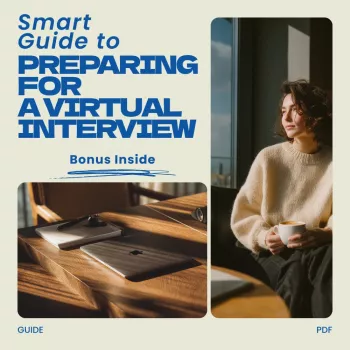
If you want a compact, repeatable routine—especially when multiple interviews are scheduled close together—use Remote Interview Prep eBook: A Smart Guide to Preparing for a Virtual Interview. It’s designed to keep your prep consistent: setup checks, practice prompts, and a streamlined day-of plan.
To reduce last-minute tech stress, a reliable charger can be a quiet advantage when you’re running video, screen sharing, and multiple tabs. Consider the 65W GaN USB C Fast Wall Charger with Quick Charge as a practical backup or travel option. For comfort in dry rooms (especially with HVAC running), the Mini USB Aroma Humidifier & Essential Oil Diffuser with Soft LED Light can help create a calmer, more breathable setup before you join.
FAQ
What should be on a virtual interview checklist?
Include tech (camera/mic, permissions, internet), environment (lighting, background, noise), materials (resume, notes, questions), timing (time zone, join early), and a backup plan (hotspot and a phone number to reach someone if you drop).
How early should you join a virtual interview?
Join about 5–10 minutes early. That’s enough time for a final audio check and to settle in without creating pressure for the interviewer.
What if the connection drops during the interview?
Reconnect immediately and use the agreed backup contact method if needed. Briefly acknowledge the issue, then continue from the last point without spending extra time apologizing.
Recommended for you













Leave a comment